Switch from Salesforce Marketing Cloud Advertising Studio — Free Migration Kit for SFMC teams
Three resources to plan your migration before your Ad Studio term ends — renewals closed on 15 August 2026, so that date is now the deadline. Audience inventory, migration playbook, and platform cheat sheet — delivered to your inbox in 30 seconds.
What's Your Migration Readiness
What's your best case scenario based on how you actually use Ad Studio?
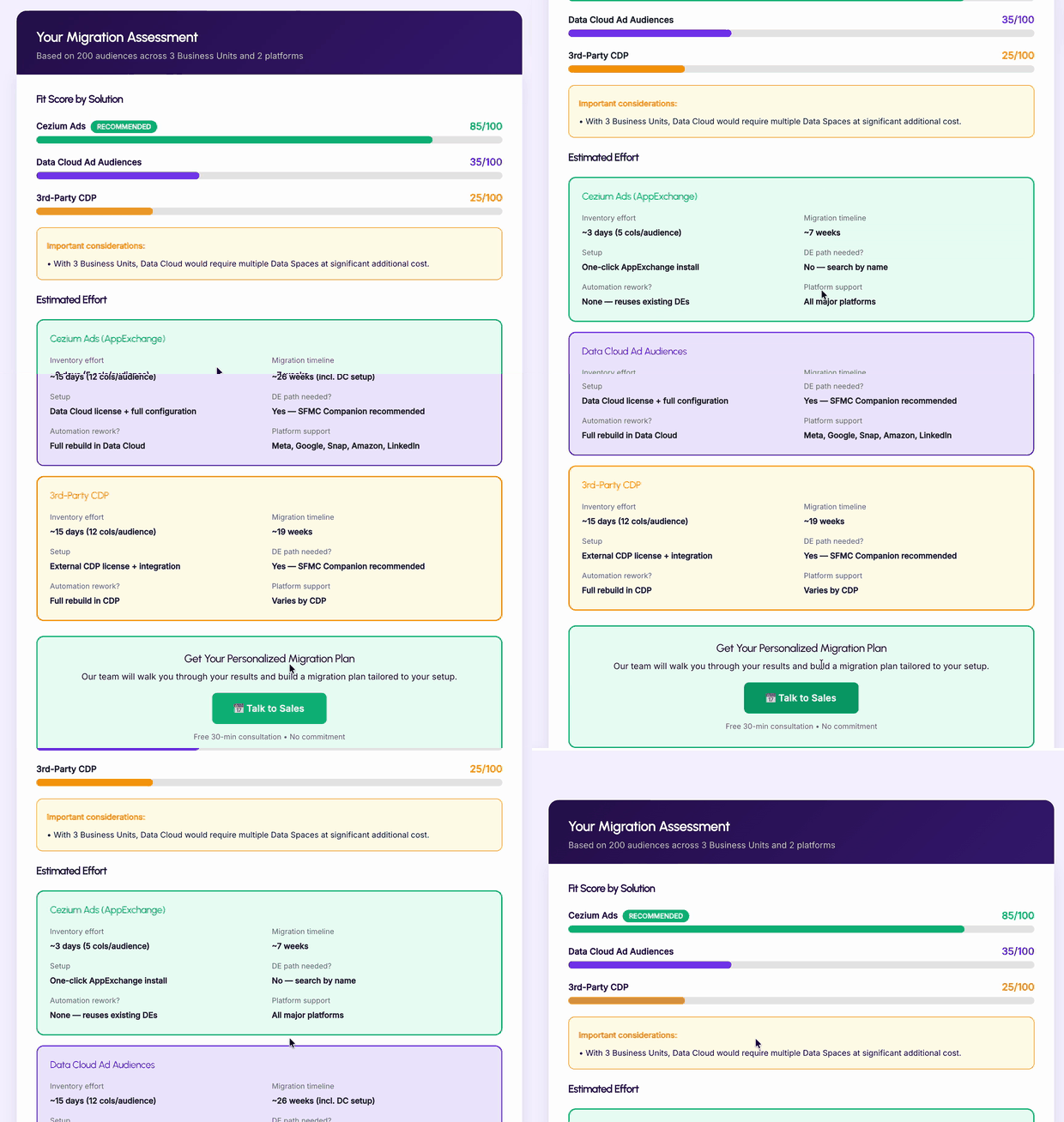
Migration Readiness Assessment
Answer a few questions about your current Advertising Studio setup — how many audiences, which ad platforms, how many Business Units — and get a personalized migration effort estimate. We'll score your complexity, recommend the best migration scenario, and tell you exactly how long it should take.
What's in your Migration Kit
Three resources that cover every step — from auditing what you have today to going live on Cezium Ads.
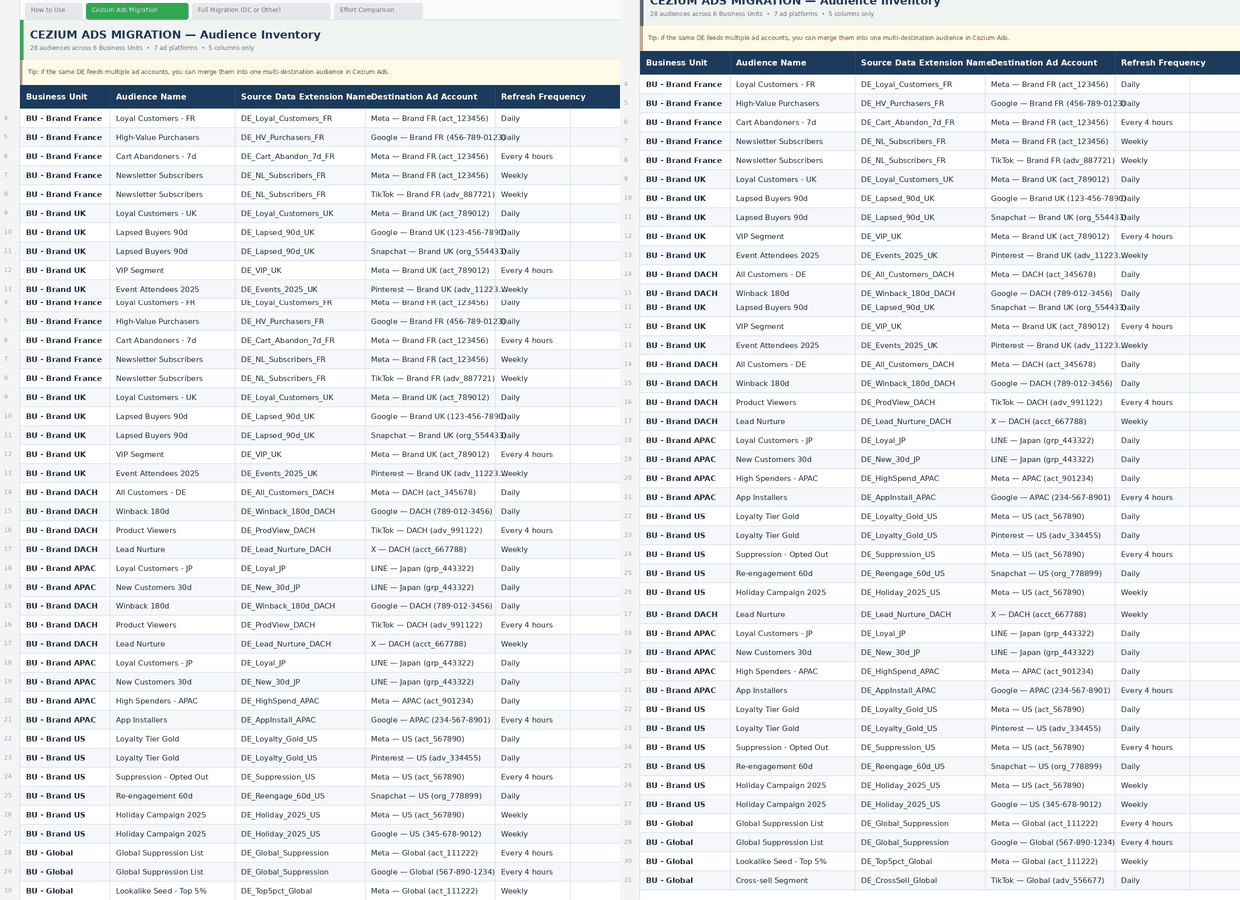
Audience Inventory Template
A spreadsheet to catalogue every audience you currently run through Ad Studio: which Data Extensions feed them, which platforms they push to, sync frequency, field mappings. Fill it in once, and you have a clear picture of what needs to move — and what you can leave behind.
Step-by-Step Migration Playbook
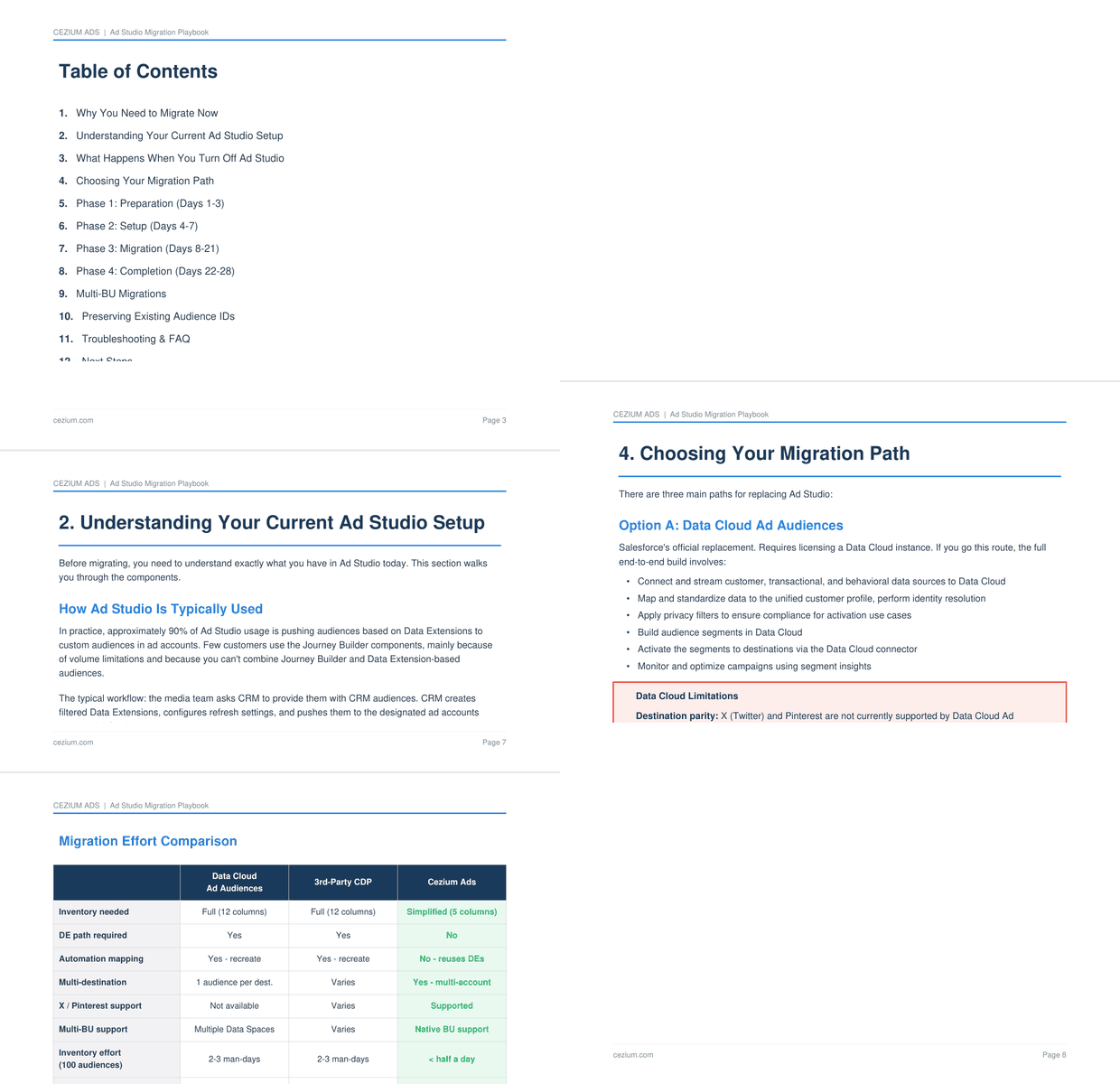
A five-phase playbook covering: audit, setup, parallel testing, cutover, and validation. Each phase has timelines, checklists, and rollback procedures. Plus you get a dedicated Slack channel with our migration team — real people answering real questions, not a ticket queue.
Get your
free migration kit
Enter your email to receive the audience inventory template, migration playbook, and platform cheat sheet.
Teams That Made the Switch
See how SFMC teams migrated from Ad Studio to Cezium Ads.
Migration FAQ
Everything you need to know about switching from Ad Studio to Cezium Ads.
Two to four weeks for most teams actively using Ad Studio. The assessment in the kit will give you a personalized timeline based on your audience count, platform mix, and BU structure. If you're not on Ad Studio and starting fresh, you'll be live in minutes.
Yes. Most teams run Ad Studio and Cezium Ads in parallel for one to two weeks. Your existing audiences continue pushing to ad platforms through Ad Studio while you validate everything on Cezium Ads. Zero downtime.
No. Your Data Extensions and Journey audiences stay exactly where they are in SFMC. You're connecting them to Cezium Ads, not recreating them. The inventory template helps you map what you have so nothing gets missed.
The playbook includes rollback procedures for every phase. Plus you get access to a dedicated Slack channel with our migration team for real-time support.
The kit covers the migration itself. For product training, we offer onboarding sessions as part of your Cezium Ads subscription — walkthroughs of the interface, audience configuration, multi-BU setup, and analytics. Your team won't need to figure it out alone.
Still have questions?
Our migration team is ready to help you plan your switch from Ad Studio.