The Ad Audiences Platform SFMC Should Have Had All Along
The trusted alternative to SFMC Ad Studio built for modern marketers
Three tools that matter
Everything you need to activate first-party audiences at scale
.png)
Connected to SFMC from day one
AppExchange-native. Uses your existing security model. No external connectors, no middleware.
.png)
Multi-source, multi-destination
Combine Data Extensions, Journeys, and more. Push to any combination of seven platforms from one interface.
.png)
See everything in one place
Track audience sync status, activation metrics, and platform performance across all channels from a single dashboard.
Use any audience, from any Journey, on any platform
In Advertising Studio, a Journey audience is locked to the Journey it was created in. You can't reuse it, share it across campaigns, or push it somewhere else.
In Cezium Ads, any active audience on any platform can be added to or removed from directly from any Journey. Build a segment in one Journey, activate it on Meta from another, remove churned users from a third. Your audiences are yours to use wherever they make sense — not trapped in the workflow that created them.
.png)
Allocate audience volumes the way your org actually works
With Ad Studio, you buy a pool of audiences for your entire instance — say 500 — and every Business Unit draws from the same bucket until it runs out. No control over who uses what.
With Cezium Ads, you decide. Allocate 200 to one BU, 50 to another, keep 250 for a third. Or share a single pool across all BUs if that works better. You choose the model at contract, and adjust it at every renewal.
.png)
Four steps to success
Connect your Salesforce account and start pushing audiences in minutes
Link Salesforce Marketing Cloud
Install from AppExchange, authenticate, and your SFMC data is ready.
Choose your audiences and destinations
Select Data Extensions or Journey audiences, pick which platforms to push to.
Activate your audiences
Push segments to any combination of seven ad platforms. Updates sync automatically.
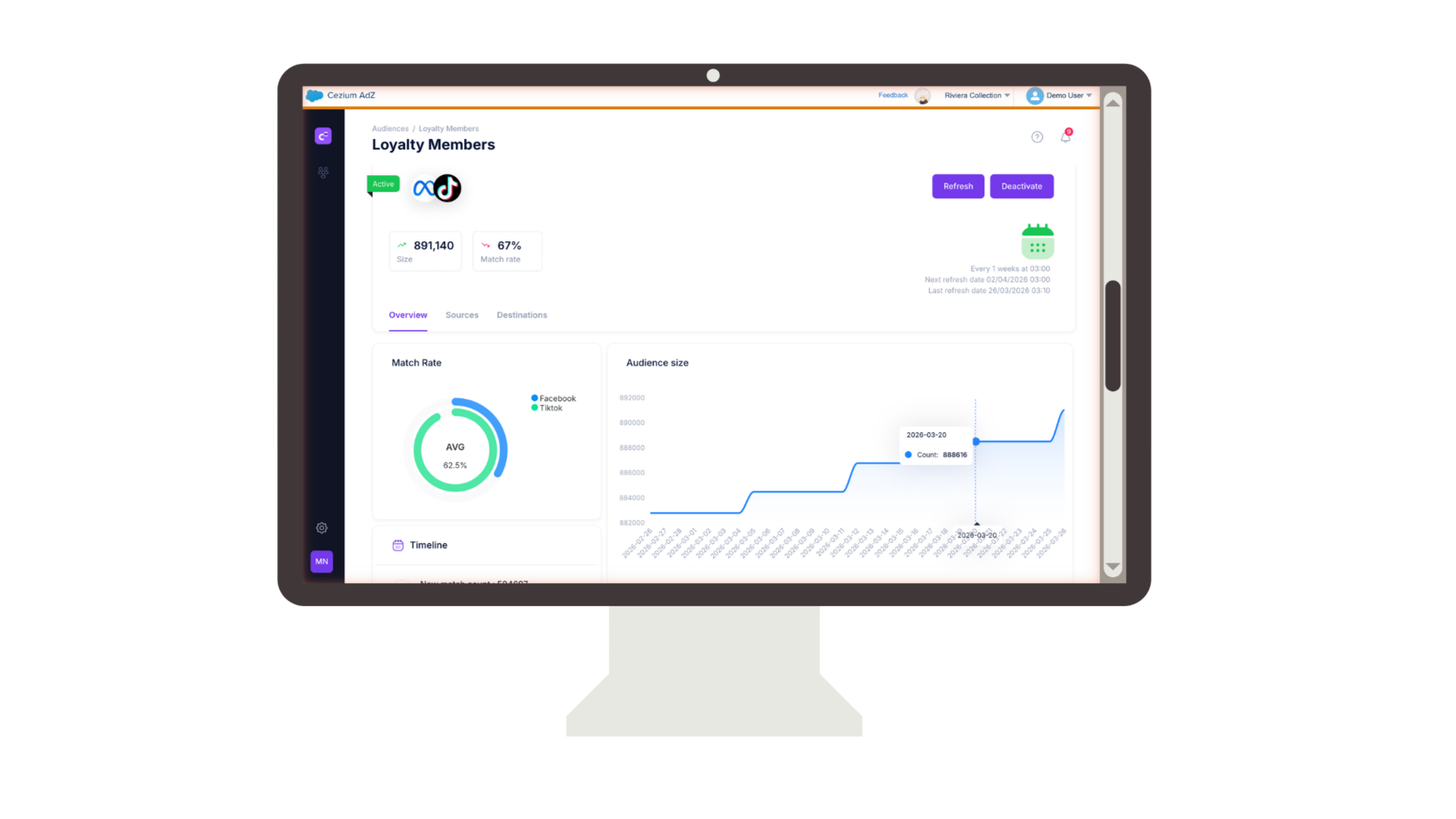
Track performance across all channels
Monitor sync status and activation metrics from a unified analytics dashboard.
"Ad Studio was a feature we used once a week. Cezium Ads turned first-party advertising into a strategy. Our media, CRM, and IT teams now collaborate on which audiences go where and why."
Stop waiting, start activating
Your first-party audiences are ready. Join the SFMC teams who've already made the switch.